Most AI conversations start with the wrong question. Leaders ask what their AI use case is, in the singular, and then spend a year proving that one thing works. A use case is a data-driven and automated process, aimed at impacting a specific business value driver, and it has three components: the data you hold, the algo that draws a conclusion from it, and the action a customer or a seller sees. One of those on its own is worth nothing. Neither is one use case.
On September 22 we ran a 45-minute webinar on how AI grows B2B revenue, hosted by Christian Sonntag, Partner at Avaus, with Abhinav Rawal, Senior Solutions and Data Architect, and Emmi Davidson, Senior Consultant in Strategy and Martech.
Rather than talking about what AI could do, the hosts opened five use cases on screen and ran them.
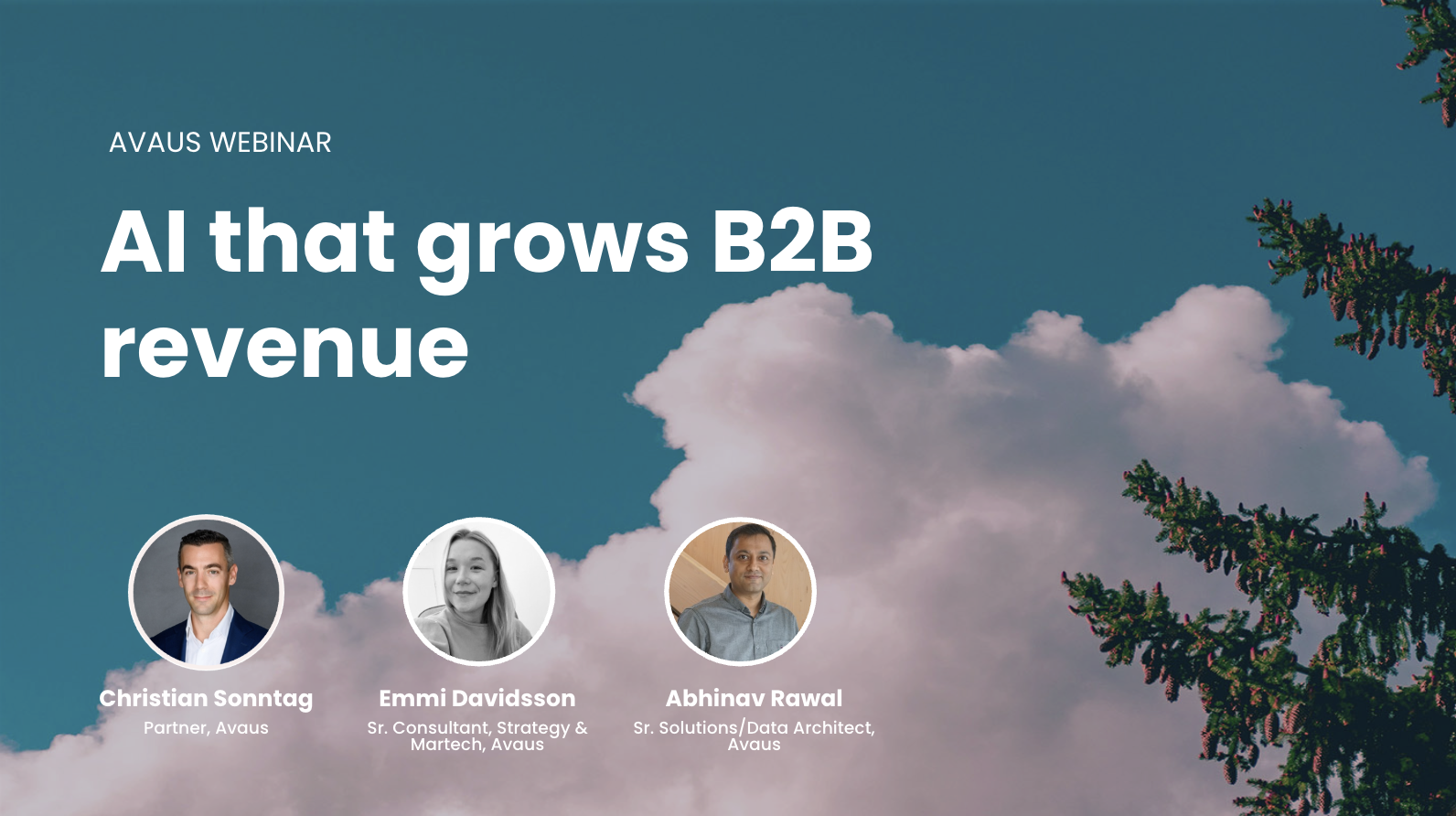
Watch the full webinar recording on demand here.
A capability is not a use case
This is the distinction that decides whether an AI investment pays off. A lead scoring model is a capability. It becomes a use case only when the score triggers a concrete action that reaches a customer. Plenty of organizations own the capability and never build the use case, which is why the model sits in a notebook and the pipeline never moves.
Christian explained the failure point: the action layer is where use cases die. Teams put their effort into data and models, then assume the action will follow. What the customer or the sales rep sees gets treated as an implementation detail, and it never arrives.
The second correction is that generative AI is not always the answer. At Avaus we classify use cases into five types, and only some of them need a language model at all. Generators produce an artifact on demand. Automations use no LLM and often run on machine learning. Advisors answer questions on demand, the sales coach or the HR coach. Monitorers watch data and alert someone. Workflows run several steps together, often triggered from a chat window.
Each type pays off somewhere different, which is the useful part. Most of the business impact in marketing and sales comes from automations, the ones with no language model in them at all. Most of the productivity leap comes from workflows. Advisors are where teams get enabled to do more for themselves. For worked examples rather than categories, our cookbook of 50 Data-Algo-Action use cases goes through them one at a time.
Qualification has to happen before the CRM
Abhinav’s use case started with a number from Salesforce’s State of Sales report: 18% of a sales rep’s week goes to prospecting. Nearly a fifth of the week is spent deciding who to pursue, before any selling happens. Then a second number, from Matthew Dixon and Ted McKenna’s The JOLT Effect, built on an analysis of 2.5 million recorded sales conversations: between 40 and 60% of B2B deals end in no decision. Those deals are not lost to a competitor. They are the largest single category of loss, and Dixon and McKenna found that most of those buyers wanted to change and then froze. Abhinav’s point sat alongside that one: some of those accounts never had the conditions the product needed in the first place, so no amount of selling was going to land them.
Between those two numbers sits the step nobody owns. Most organizations select accounts on industry code, headcount band and revenue band, with no evidence attached, no score, and no owner for the decision. The record gets created by whoever happens to create it, and everything downstream inherits that choice.
So the prospecting layer runs the same three components before a CRM record exists. The data is signals from outside the CRM about conditions rather than company attributes, things like sites, infrastructure, permits, ownership and news. The algo scores the conditions the product needs, instead of the firmographics every competitor buys from the same vendors. The action is a short ranked list with reasons attached, and only qualified accounts enter the CRM.
The demo ran on Hexvolt Industrial, a fictional manufacturer of cordless industrial torque tools, built specifically for the session. It took more than 12,000 manufacturing sites in and produced a short list out, through an ideal customer profile fit, then a need fit against product conditions, then a scoring step, then feasibility gates that can veto anything the score liked. Three rules held it together. Every row carries its reason. Every tier carries an action. Nothing enters the CRM unqualified.
Someone asked why this runs outside the CRM rather than inside it. The answer was commercial rather than technical: the real client engagement had 50,000 prospects in scope, and CRM licensing charges per record. Pushing 50,000 unqualified records into a system of record is expensive and it buries the accounts the sales team is working.
The first touch can already contain the customer’s own number
The second half of that use case was the first contact. Instead of a brochure, each top-tier account gets a briefing page built for it alone, in the account’s name and in the brand’s own look and feel, with a total cost of ownership calculator embedded in the page.
The calculator is the part worth emphasizing. The prospect moves the levers themselves, things like tool count, shifts and electricity cost, and lands on their own monthly savings or operating profit. In a normal sales process that number appears in the second or third meeting, once a rep has built it with them. Here a draft number exists before the first conversation. And since we own the page, we see who opened it and which levers they moved, which turns the first touch into a signal rather than a hope.
Codify the recipe, not the prompt
Emmi’s sections moved from sales to marketing operations, and started with this definition: an AI skill is a reusable instruction set that teaches AI to perform a specific task, packaging the context it needs, the instructions for doing the work, the guardrails on what it should and should not do, and the shape of the output. A human reviews what comes back.
The shift is from asking AI for an answer to defining a repeatable way of working with AI. A marketer already knows how to do SEO research: what to look for, how to research it, what the output should look like. Written down as a skill, that process no longer depends on either a detailed prompt or the person who wrote it. Skills can then be combined into workflows, which is how a short campaign brief becomes a campaign plan and a set of assets, including landing page HTML ready to paste into the CMS.
Emmi also demonstrated the content engine, an interface Avaus tailors to a client’s brand, tone of voice and company knowledge. One source asset moves through intake, analysis, SEO and AEO checks, an audience step, and a value assessment that decides whether the asset is even worth repurposing. The engine then recommends what that asset could become, adapted to the audiences and channels picked along the way, and the user decides which of those outputs to generate.
The obvious objection came up during the webinar: a general purpose chat tool can do much of this. The difference is that the process and the context are built into the workflow rather than reassembled by whoever is typing that day. The point is productizing the marketing recipe rather than handing marketers another AI chat window.
Our own use cases, built the same way
The last two use cases were our own. The first is a research agent the team runs before customer meetings. Give it a company name and it builds a folder and a rolling memo for that account, with a standard set of sections: identity, context, firmographics, strategy and direction, and the angles worth opening a conversation with. It takes two or three minutes, and a colleague walks into a first meeting prepared rather than improvising.
The value there is the standardization more than the research. Everyone already did some version of this before a meeting. Doing it the same way every time, into the same structure, is what makes it reusable by the next person.
The second is the Use Case Navigator, which holds 95 use cases for industrial B2B. Pick a challenge such as customers leaving without warning and it returns the relevant ones, each with its type, its typical business value, its implementation complexity and what has to be in place first. You shortlist what fits and email yourself the result.
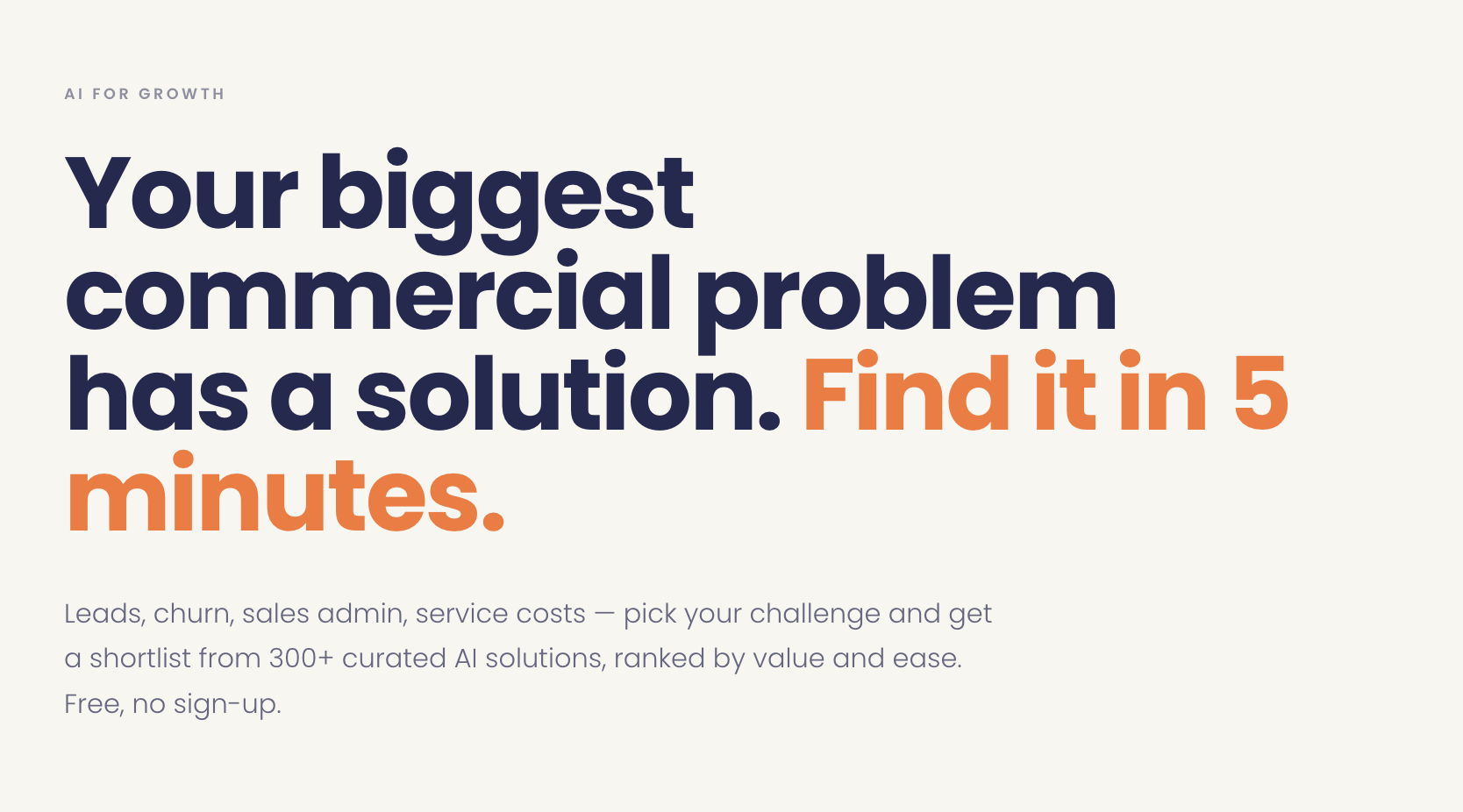
It is also a use case in its own right, running on the same three components. The data is visitor behavior, meaning which challenges someone picked and what they shortlisted, flowing into the marketing database. The algo scores those signals into which account, how warm, and which interest. The action is a prioritized account in the sales cockpit. It was built in Lovable, which a few years ago would have needed a development team and a month.Today just days and our marketing team edits it on their own. That is what changes the economics of lead generation, because you can afford to give a prospect something genuinely useful before the first meeting happens.
What the room found most interesting
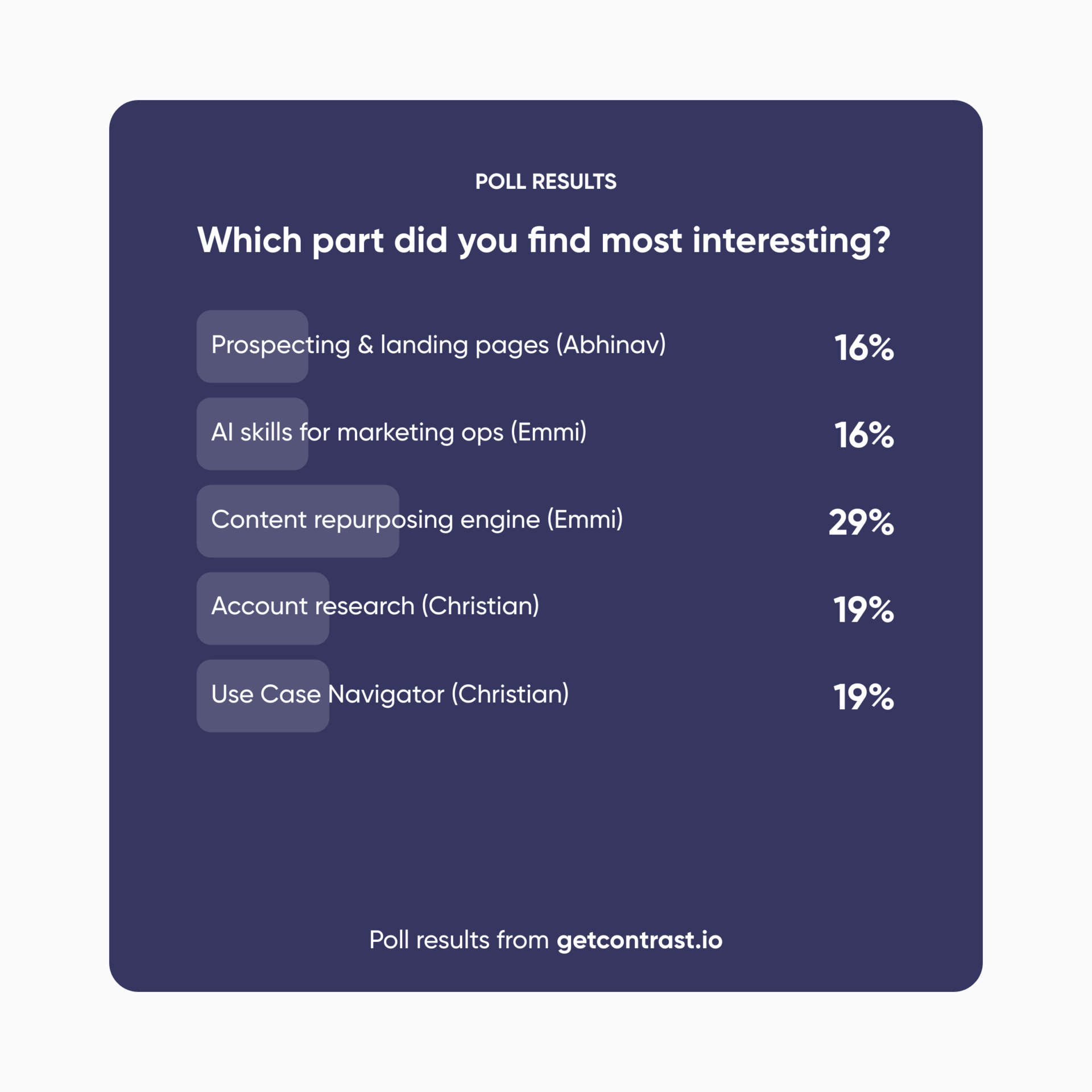
We asked the audience which part they would take back to their own week, and the content engine won. The Use Case Navigator and the account research agent came next, level with each other.
That is worth reading as a signal about where the immediate pain sits. Content volume is the problem people recognize in their own calendar, and a tool that turns one asset into several is easier to picture on a Monday morning than a scoring layer that changes who sales calls first.
Three things to take away
- Qualify before, not after. A short list with reasons attached beats a long list with none, and the data foundation underneath is still the floor on what any of this can do.
- Turn the thing that works into a capability. Once a use case delivers, the value comes from making it repeatable rather than solving the same problem from scratch next quarter.
- Plan for many so you can scale. The common mistake is treating AI as a hunt for one perfect use case. One does not move the needle, and each one that you add compounds the value of the ones before it. Do not leave asking what your AI use case is. Ask what your first five are, and in what order.
If you’re curious to learn more: Watch the full webinar recording on demand here.
Common questions
What is a commercial AI use case?
A use case is a data-driven and automated process, aimed at impacting a specific business value driver. It always has three components: data, meaning what you know, the algo that predicts or determines something from it, and the action the customer or end user sees. They multiply rather than add, so if the action is missing the use case is worth nothing.
How is a use case different from a capability?
A capability is a piece of machinery, such as a lead scoring model or a propensity model. It becomes a use case only when its output triggers a concrete action that reaches a customer. Most stalled AI programs have capabilities they never connected to an action.
Why should lead qualification happen before the CRM?
The CRM is a system of record, so anything inside it is already a record you pay for and manage. When the addressable market runs to tens of thousands of accounts, scoring them before a record exists keeps the CRM focused on accounts sales is genuinely pursuing, and it means every account that does enter arrives with a reason and a next action attached.
What is an AI skill?
An AI skill is a reusable instruction set that teaches AI to perform a specific task, containing the context, the instructions, the guardrails and the expected output. It replaces writing a detailed prompt each time, and several skills can be combined into a workflow.
Where would your own first five sit?
If one of these made you think your organization should have it, that is the conversation to have. You can build a shortlist yourself in the Use Case Navigator, or bring your priorities to one of our half-day executive workshops, in Stockholm on November 11 and Helsinki on November 18. Each one runs with a curated group of around ten senior commercial leaders.
Related reading
- Missing use cases: a key reason data and technology investments fail
- Why your AI strategy shouldn’t exist, and what to build instead
- 6 areas where AI can 10x your marketing productivity
- Accelerate the use of data, AI and automation in B2B sales and marketing
- Data-driven segmentation to improve B2B sales performance